TikTok Live stats: see who watched, chatted and gifted on every stream
A live leaderboard while you stream, a minute-by-minute recap afterwards, and analytics that show your best time to go live and who keeps coming back.
 BoTik Team6 min read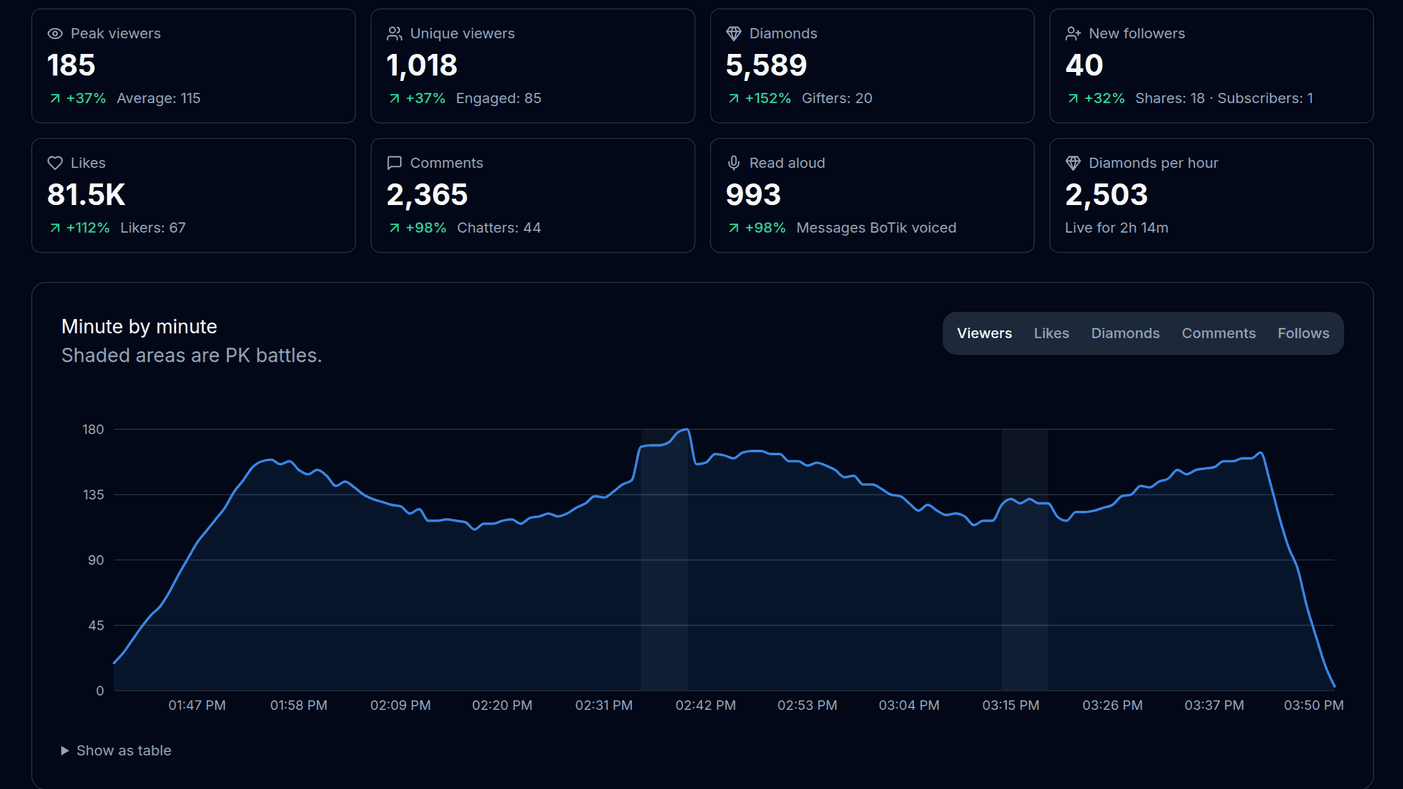
TikTok tells you how a LIVE went in a handful of totals. It does not tell you the minute the room filled up, who sent the gifts that carried you, whether tonight’s chat was there last week too, or which evening your stream actually does best.
BoTik is already listening to your live chat to read it aloud, so it counts as it goes: every viewer who chats, taps or gifts, every minute of the stream. You get a live leaderboard while you stream, a full recap when you stop, and analytics across all your streams.
Where the numbers come from
TikTok Live
viewers chat, tap, gift and follow
BoTik
counts it per viewer and per minute
Go Live
the live leaderboard
Streams
the recap and your analytics
While you are live: the leaderboard
As soon as BoTik connects to your LIVE, a Live leaderboard card appears on the Go Live page. The top row is the room right now: viewers (with the peak so far), likes, diamonds and new followers.
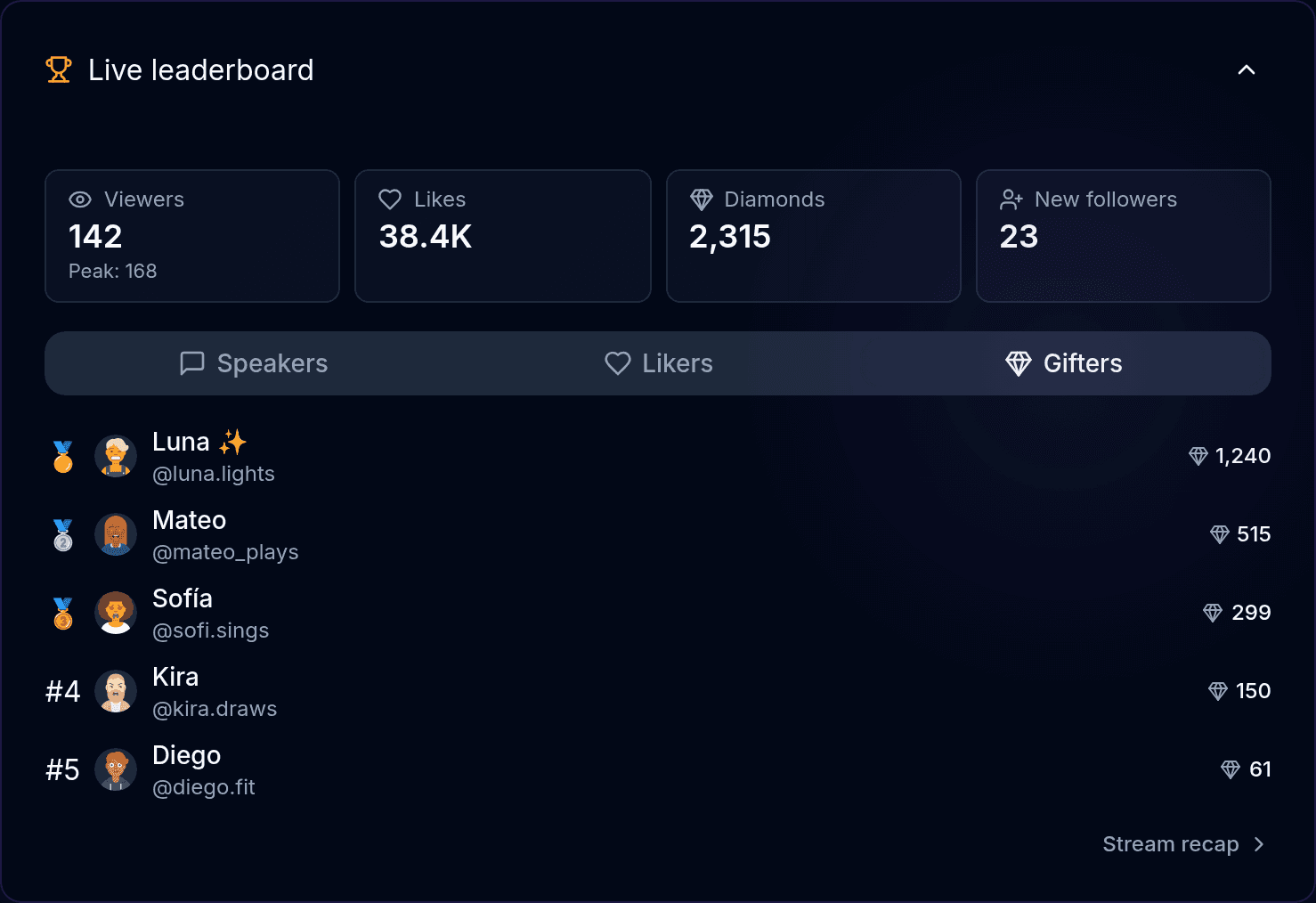
- Speakers — the viewers BoTik read aloud the most: the people carrying the conversation.
- Likers — your tap-tap champions.
- Gifters — the top five by diamonds, so you can thank the right person by name without scrolling back through chat.
Thank people while it still matters
A thank-you is worth most in the minute after the gift. Keep the Gifters tab open — or let a Stream Deck “Thank gifter” key say {lastGifter} for you.
After the stream: the recap
When the LIVE ends, or you press Stop, the stream is saved. Open Streams in the sidebar, or follow Stream recap from the leaderboard card, and pick a stream.
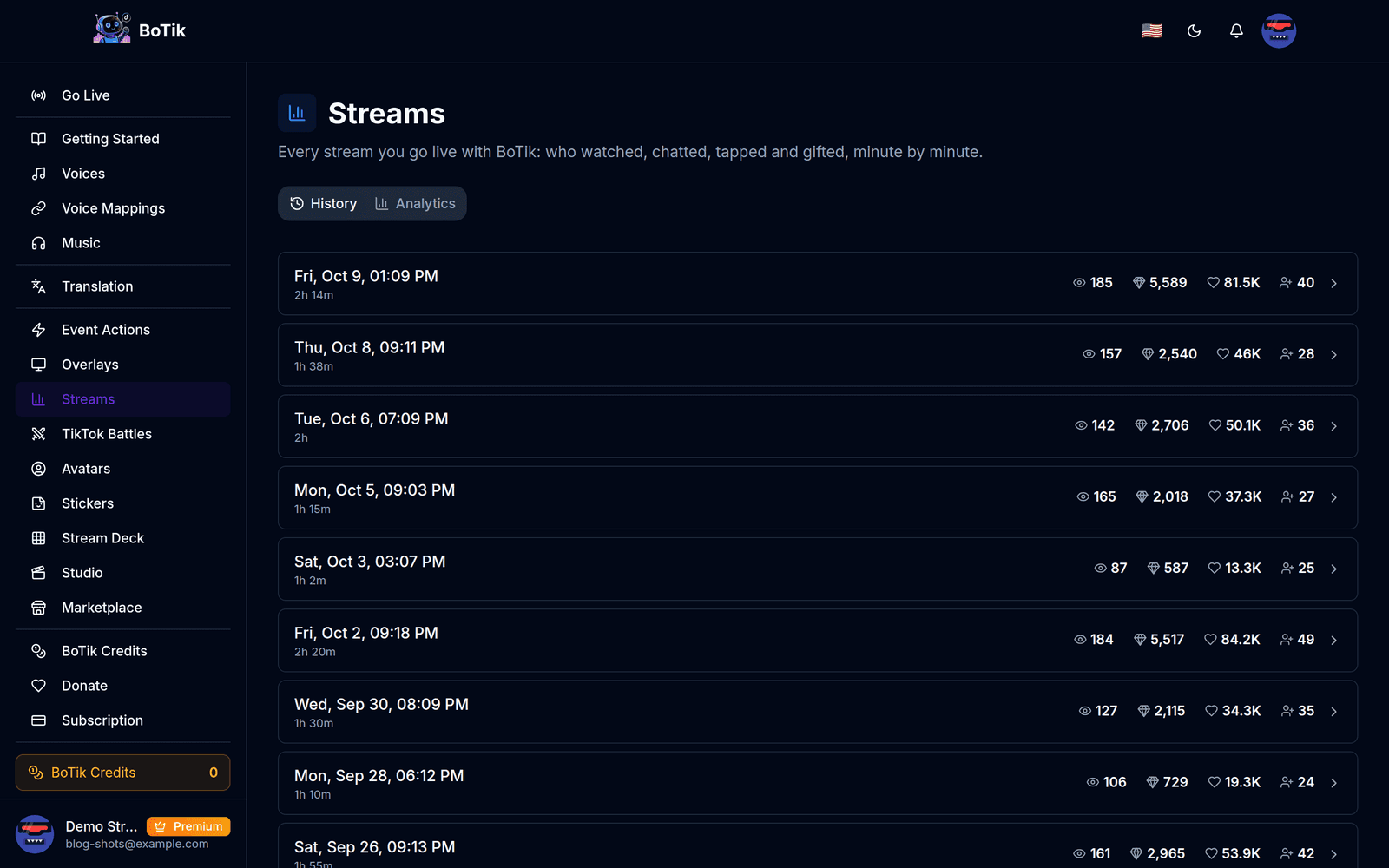
A recap opens with Highlights: a few plain sentences about what stood out — when viewers peaked, your best gifting minute, how much of your diamonds came from your top supporter, how many viewers took part. The numbers follow.
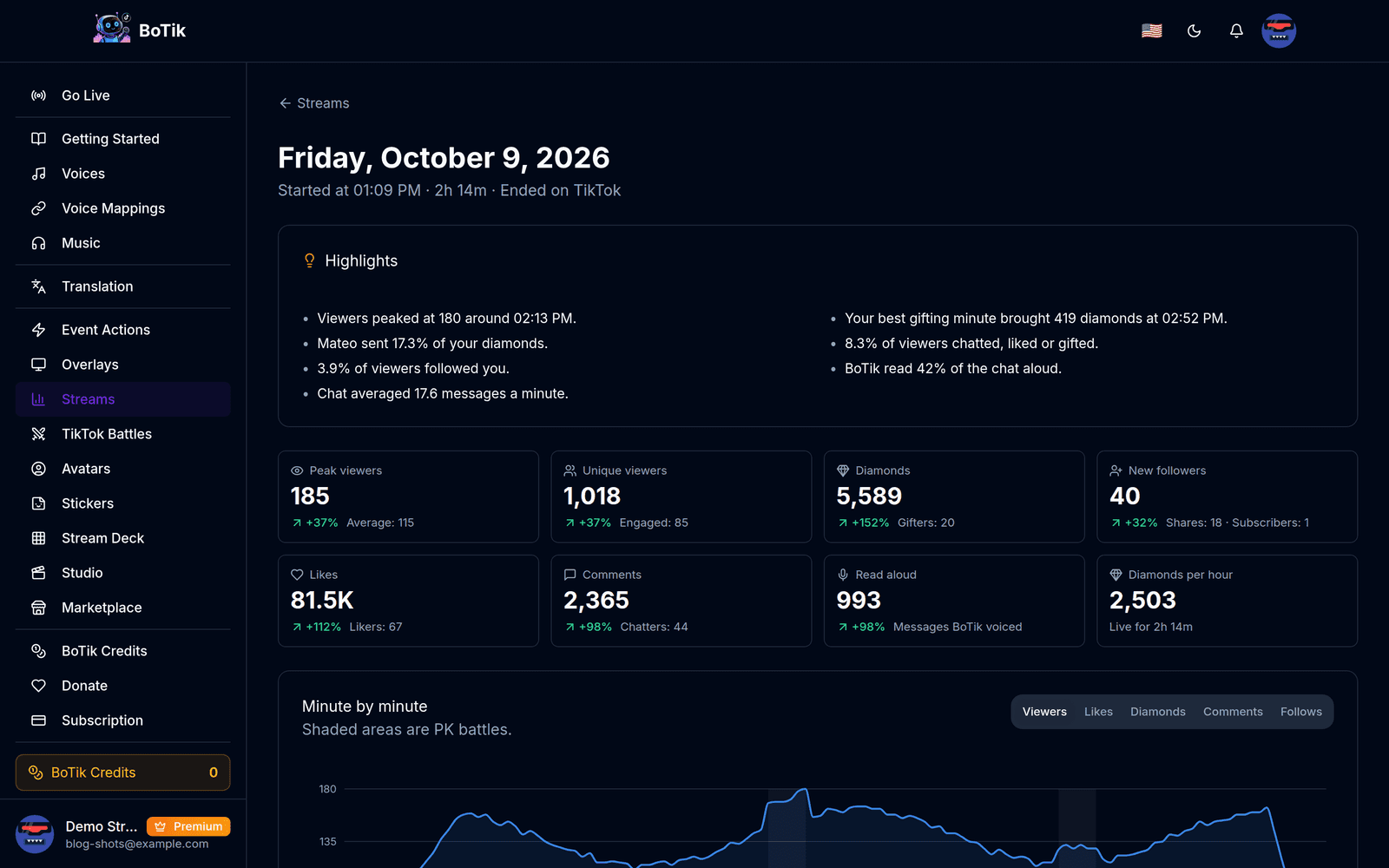
| Number | What it tells you |
|---|---|
| Peak viewers | The most people watching at the same time, with the average underneath. |
| Unique viewers | TikTok’s own count of everyone who opened the LIVE. |
| Diamonds | What the gifts were worth, and how many people gifted. |
| New followers | Follows during the stream, plus shares and new subscribers. |
| Likes and comments | Taps and chat messages, and how many different people sent them. |
| Read aloud | The messages BoTik voiced. |
| Diamonds per hour | Diamonds divided by time live: the fair way to compare a short stream with a long one. |
Minute by minute
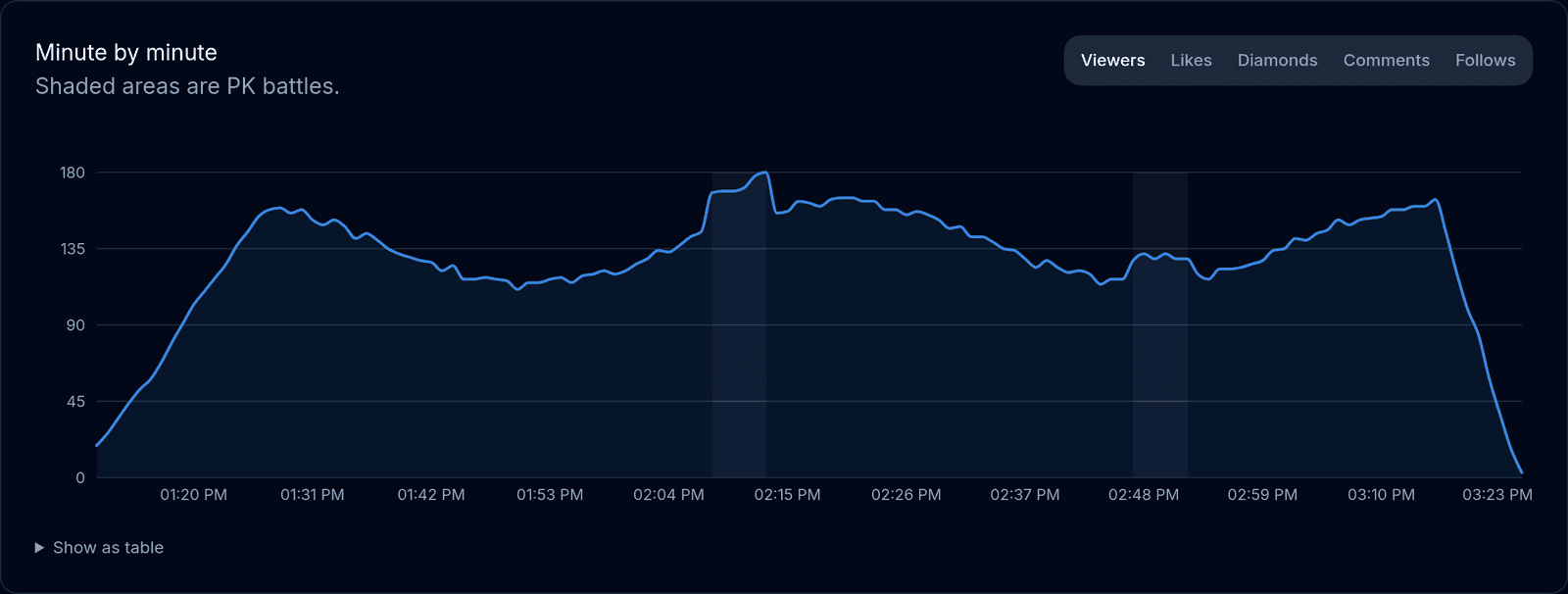
The chart answers the useful questions. Did viewers leave when you switched games? Did the room fill up when the challenge started? Did gifting spike during the battle and drop right after? Hover any minute to see its numbers, or open Show as table.
Who showed up
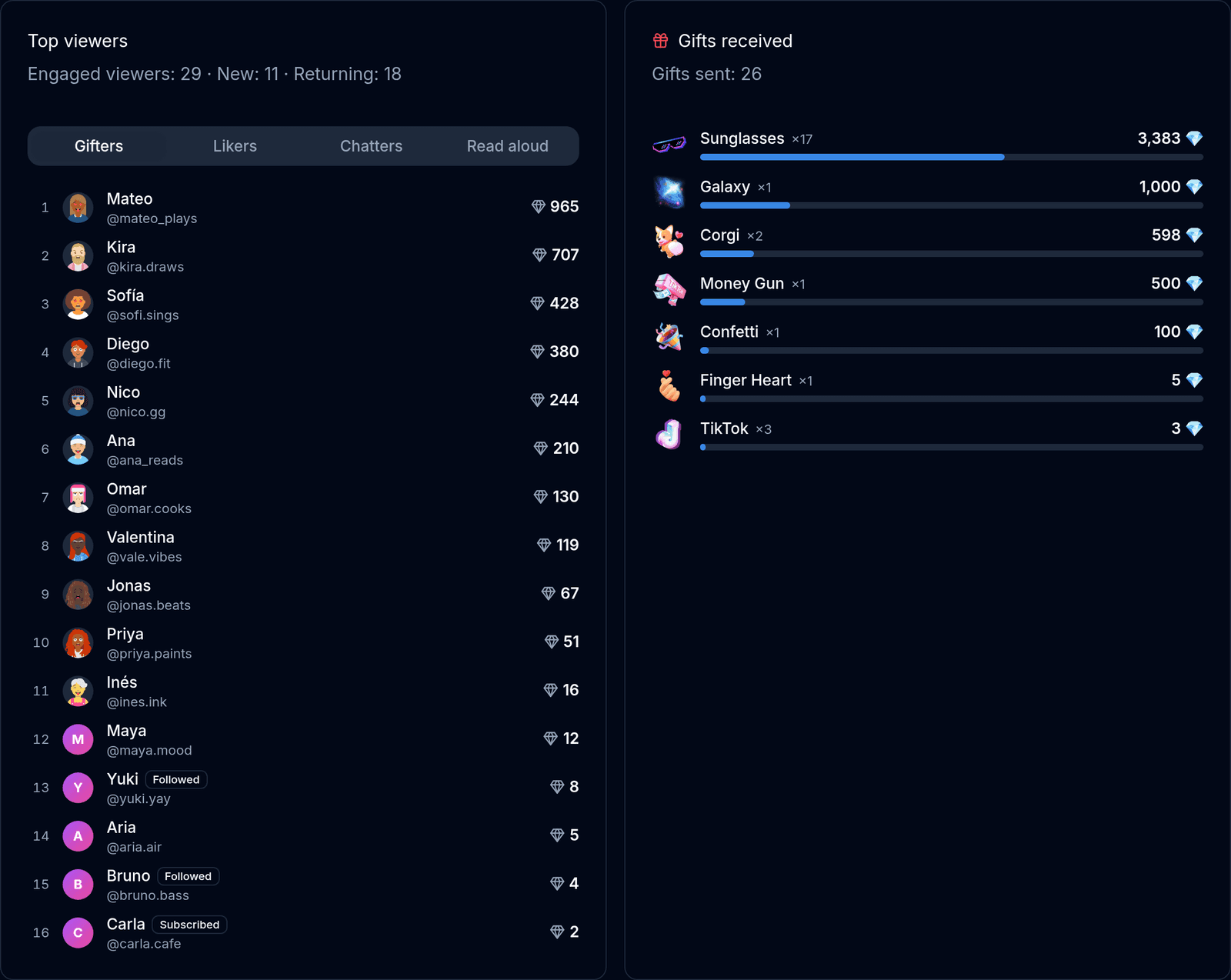
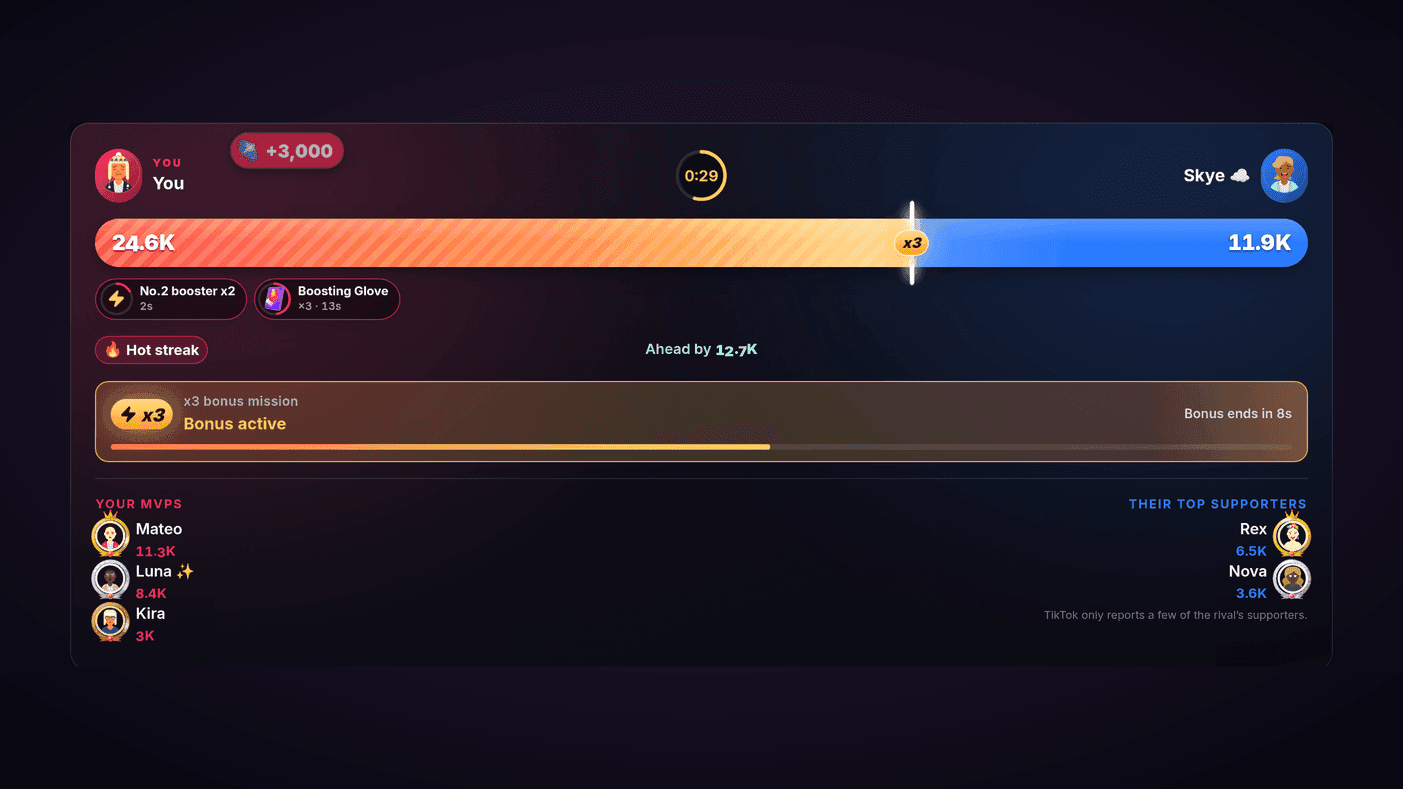
Top viewers ranks everyone who took part — by gifts, likes, chat or messages read aloud — and counts how many were new and how many came back. Gifts received shows which gifts arrived and what each was worth. If you battled, that stream’s battles are listed underneath with the score and the result.
Returning viewers are the number to grow
A smaller stream where more people came back is usually a better stream than a spike of strangers who never return. Those regulars are who will be there next time.
Across all your streams: analytics
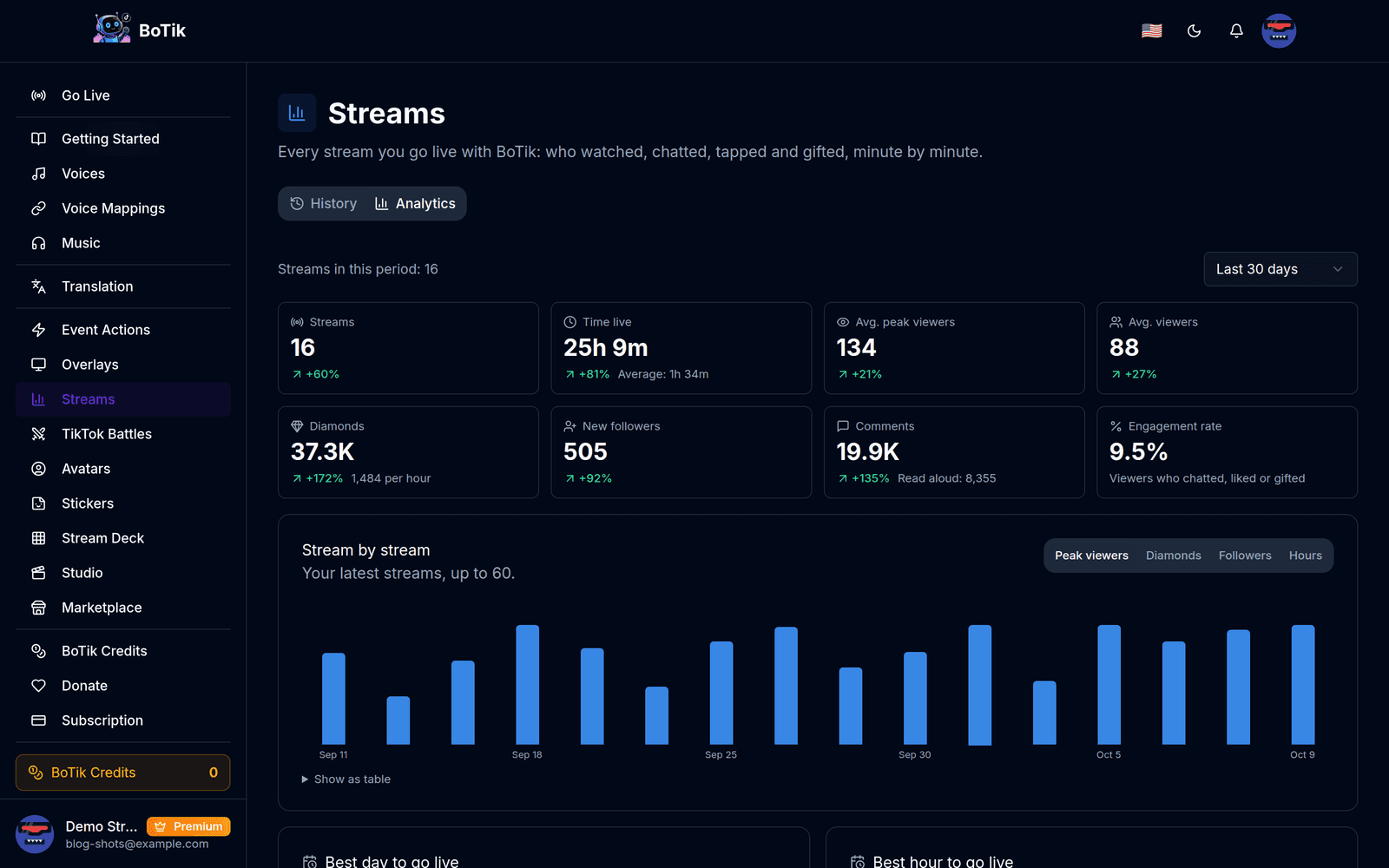
The Analytics tab adds up every stream in a period — the last 7, 30, 90 or 365 days — and compares it with the period before: streams, time live, average peak viewers, diamonds, new followers, comments and engagement rate.
Your best time to go live
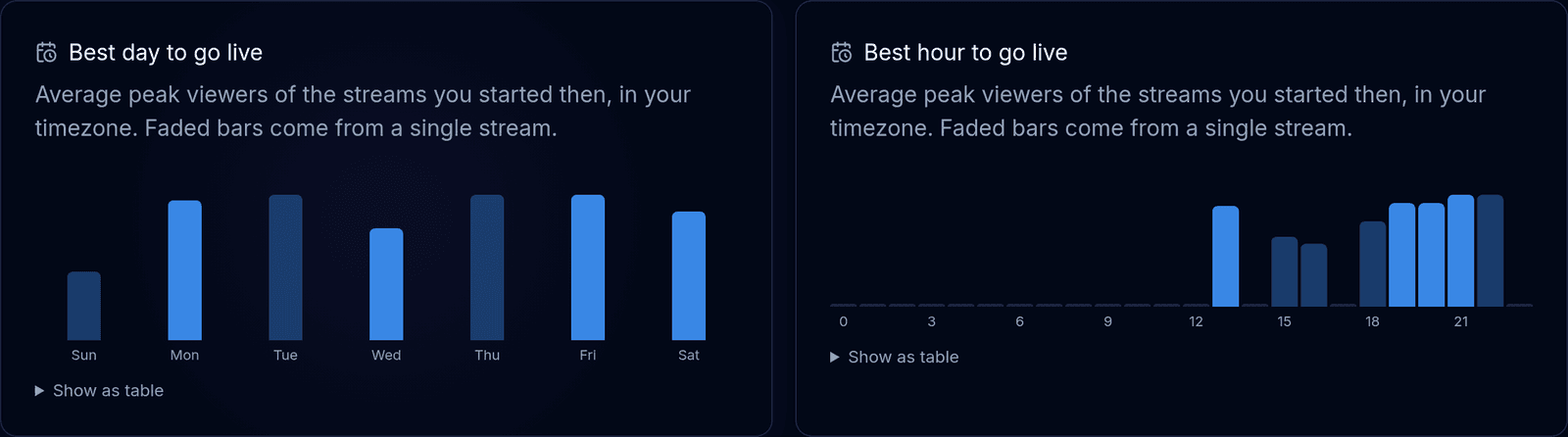
BoTik averages the peak viewers of the streams you started on each day and at each hour, in your own timezone. It waits for at least eight streams with viewer counts before showing anything, because two streams on a Tuesday say very little about Tuesdays.
Note
This is your audience’s best time, not TikTok’s. Generic “best time to go live” charts average millions of accounts in other time zones; yours is built from the people who actually watch you.
Loyal supporters and top gifts
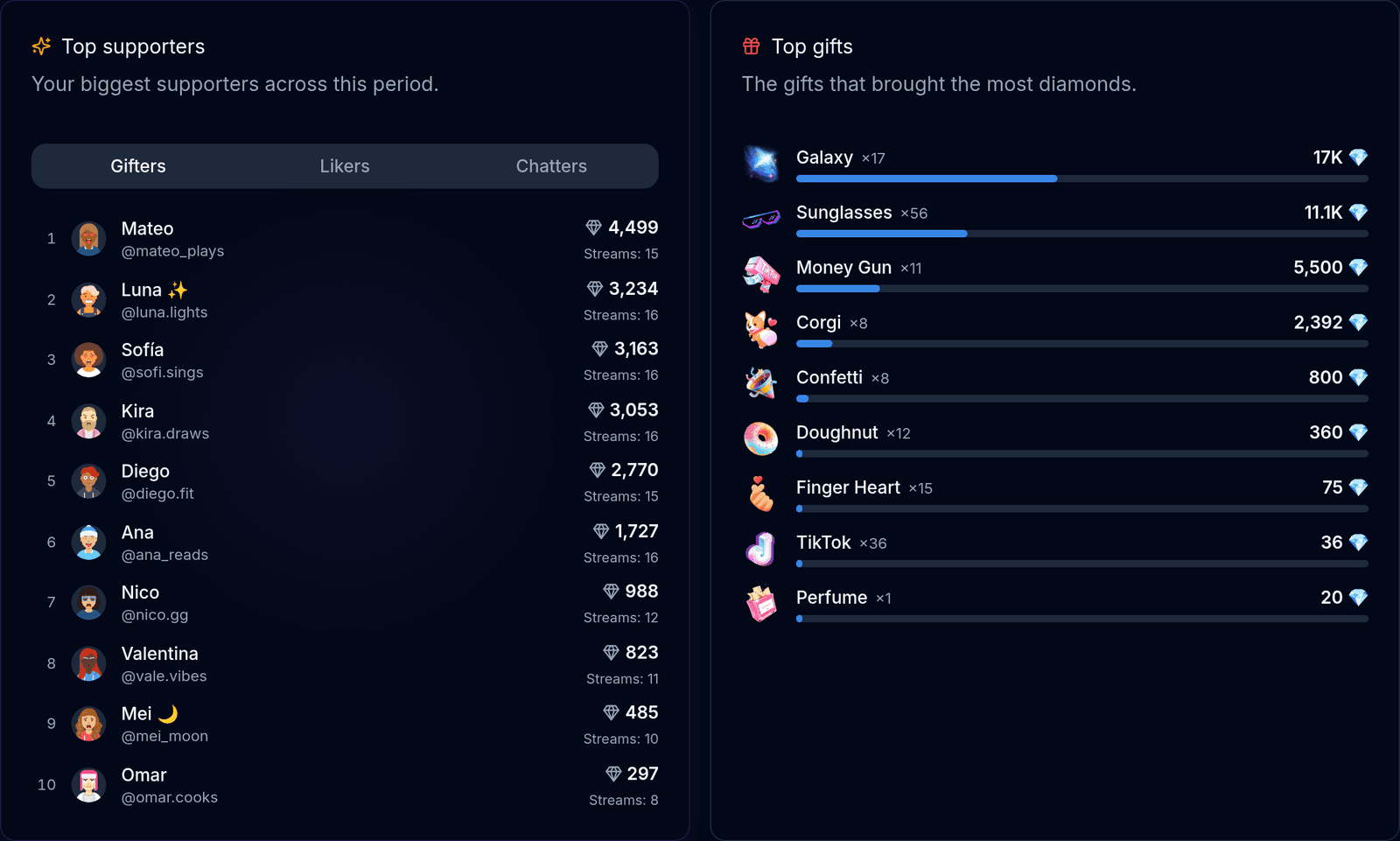
Your audience counts the engaged viewers in the period and splits them into new, returning and loyal — the people who turned up for three streams or more. Top supporters ranks them by gifts, likes or chat across the whole period, with how many of your streams each one joined.
Those are the names worth knowing. Give them a voice of their own, thank them on stream, and notice when one of them goes missing.
What is free and what is Premium
| Free | Premium | |
|---|---|---|
| Live leaderboard on Go Live | ✓ | ✓ |
| Recap of your latest stream | ✓ | ✓ |
| Recaps of every earlier stream | — | ✓ |
| Analytics, best time to go live, loyal supporters | — | ✓ |
Every stream is recorded either way, so if you upgrade later your history is already there. The 7-day Premium trial does not ask for a card.
Good to know
- Stats start when BoTik connects. Connect when you go live so the first minutes count. TikTok replays a little recent chat whenever something connects; BoTik does not count it twice.
- Unique viewers comes from TikTok and covers the whole LIVE, including any part before BoTik connected.
- A dropped connection does not split the stream. When BoTik reconnects to the same LIVE, the recap carries on where it left off.
- Streams from before stream stats show their totals, with a dash for the numbers that were not tracked yet.
- Detail is kept for a year. The minute-by-minute chart and the viewer lists are kept for 365 days; a stream’s totals are kept for good.
Go live with BoTik once and your first recap is waiting when you finish. If you battle, the TikTok Battles guide covers the live scoreboard and the battle history that sit next to these stats.