TikTok Live PK battles: a live scoreboard, a coach and your battle history
Follow every TikTok PK battle as it happens: score, x2/x3 bonus missions, boosters and MVPs, an OBS overlay, a spoken coach and your record against every rival.
 BoTik Team7 min read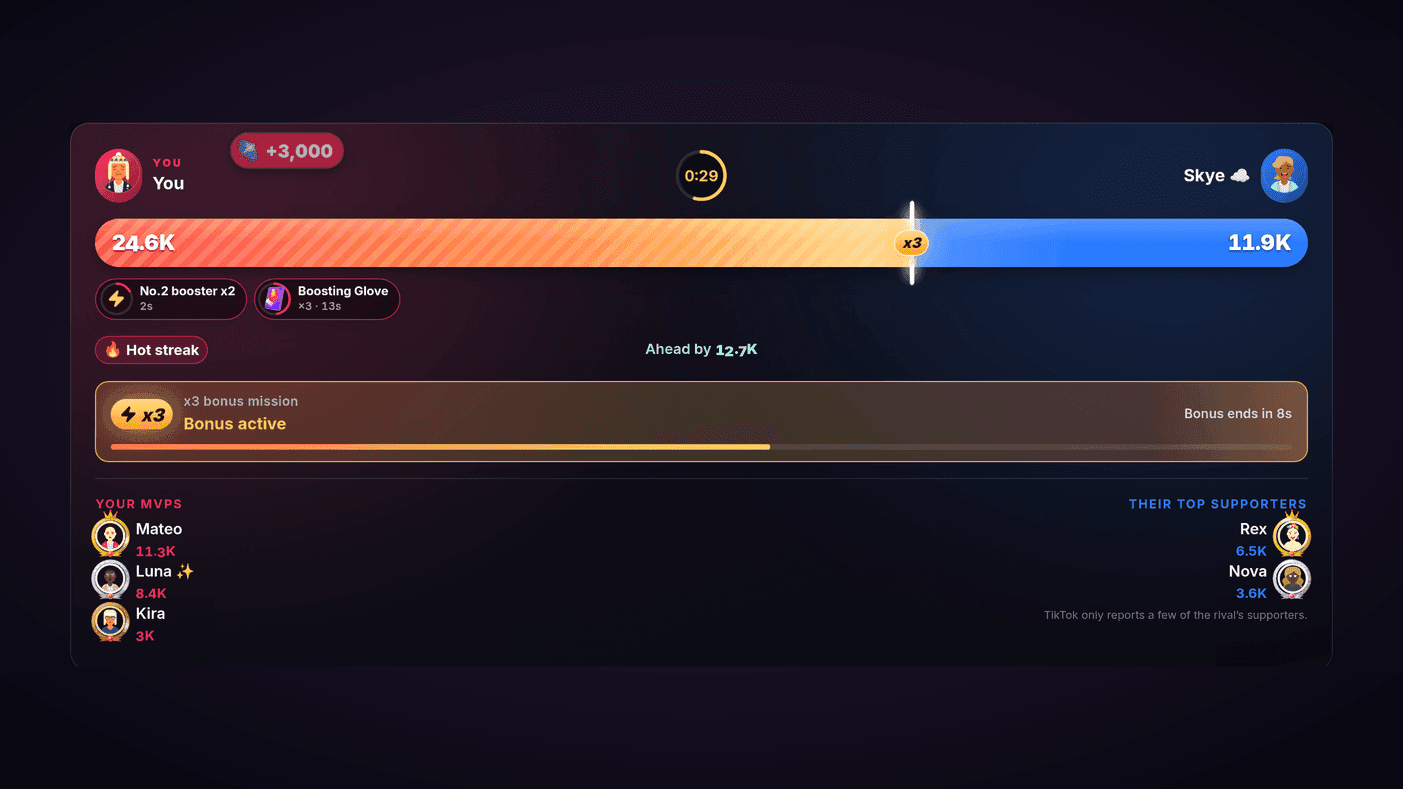
A PK battle is five minutes where everything happens at once. The score swings, a bonus mission appears with a countdown, someone uses a booster, and the gift that decides it lands two seconds from the end — while you are trying to talk to your viewers and watch the other streamer.
BoTik follows the battle from your LIVE and lays it out in one place: the score, the clock, the bonus, the boosters and the people carrying each side. It can call the battle out loud for you and put the scoreboard on stream, and it remembers every battle afterwards — including how you do against each rival.
Note
TikTok Battles is a Premium feature. The 7-day trial does not ask for a card, so you can try it on your next few battles.
The arena on your Go Live page
Go live, connect BoTik, and battle the way you always do on TikTok. When a battle starts, the arena appears at the top of the Go Live page — and as a small floating panel on every other BoTik page, so you can keep an eye on it from anywhere.
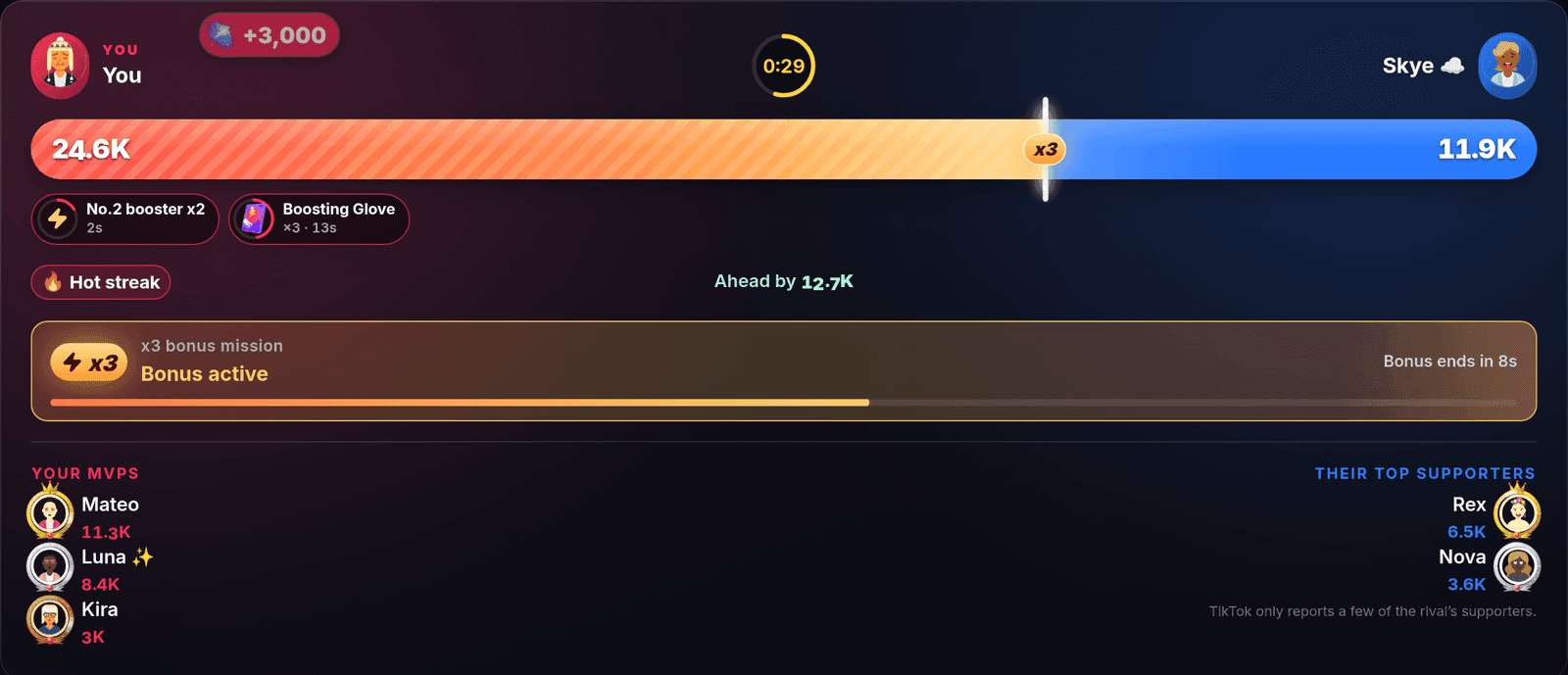
- Score and clock — the bar shows the split, with how far ahead you are or how much you need to take the lead. The clock turns urgent in the final seconds.
- Hot streak — your side has scored a lot in the last thirty seconds. That is the moment to keep the energy up.
- Bonus mission — the x2 or x3 mission, with its goal and countdown, stays on screen while it runs.
- Boosters — Boosting Glove critical hits, No.2 and No.3 boosters, extra time, Magic Mist and Stun Hammer, for both sides, as they are used.
- MVPs — your top supporters, live, and the rival’s.
Why the rival’s list is short
TikTok only reports the top few supporters on the other streamer’s side. Your own side is counted from the gifts in your LIVE, so it is complete.
Bonus missions, boosters and snipes
TikTok announces the x2/x3 bonus mission before the bonus window opens. BoTik shows it the moment it is announced — the multiplier and the goal — so you can tell chat what is coming instead of discovering it with them.
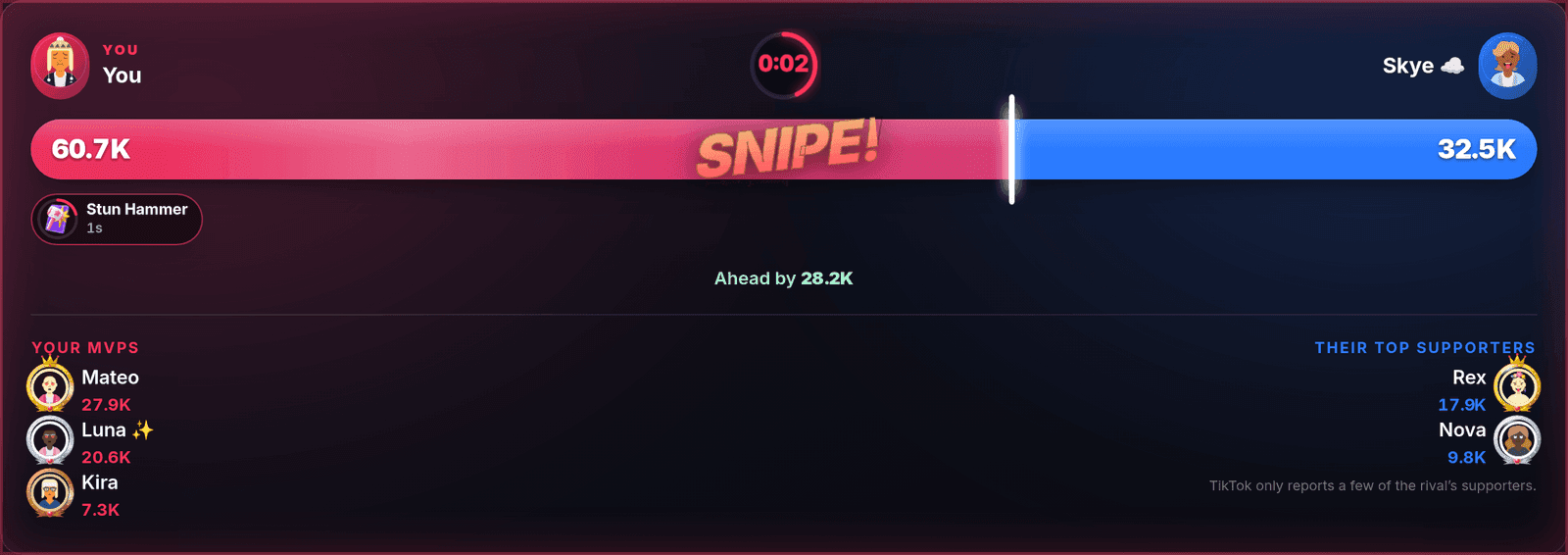
Most battles are decided at the very end. When the lead changes hands in the last seconds, the arena stamps it, so you can call it while it happens.
The result, and thanking your MVPs
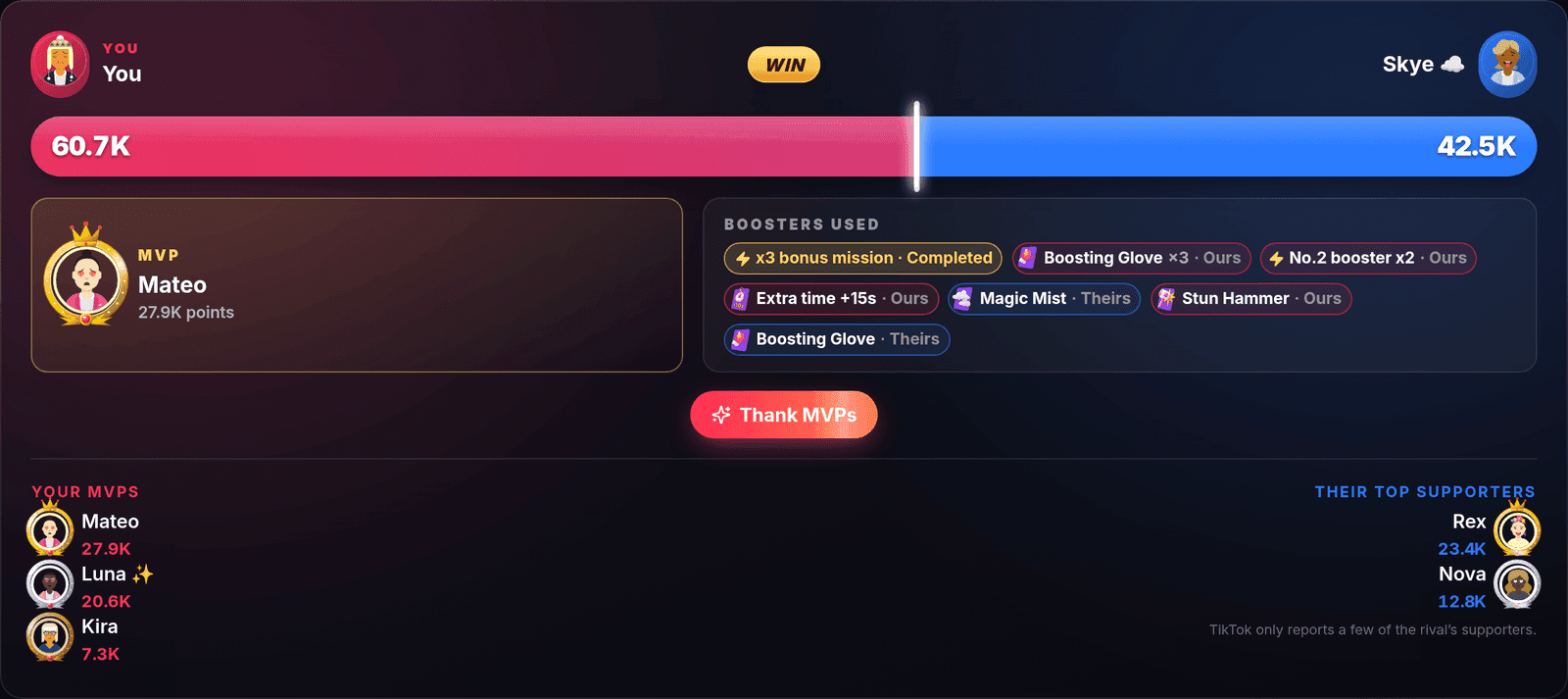
When the battle ends you get the result, your MVP and the boosters both sides used. Thank MVPs has BoTik thank your top supporters by name, out loud — a thank-you that lands while the room is still there.
Scouting a rival before you accept

When an invite arrives, BoTik shows your history against that streamer: how many times you have battled, your record, your average scores and how the last one went. If you have never faced them, it says so. It can read the card out loud too.
A coach that calls the battle out loud
Turn on Spoken battle coach in Settings and BoTik narrates the battle in your BoTik voice: the start, an incoming bonus, whether you won or missed it, lead changes, the final countdown and the result. Pick which of those you want to hear.
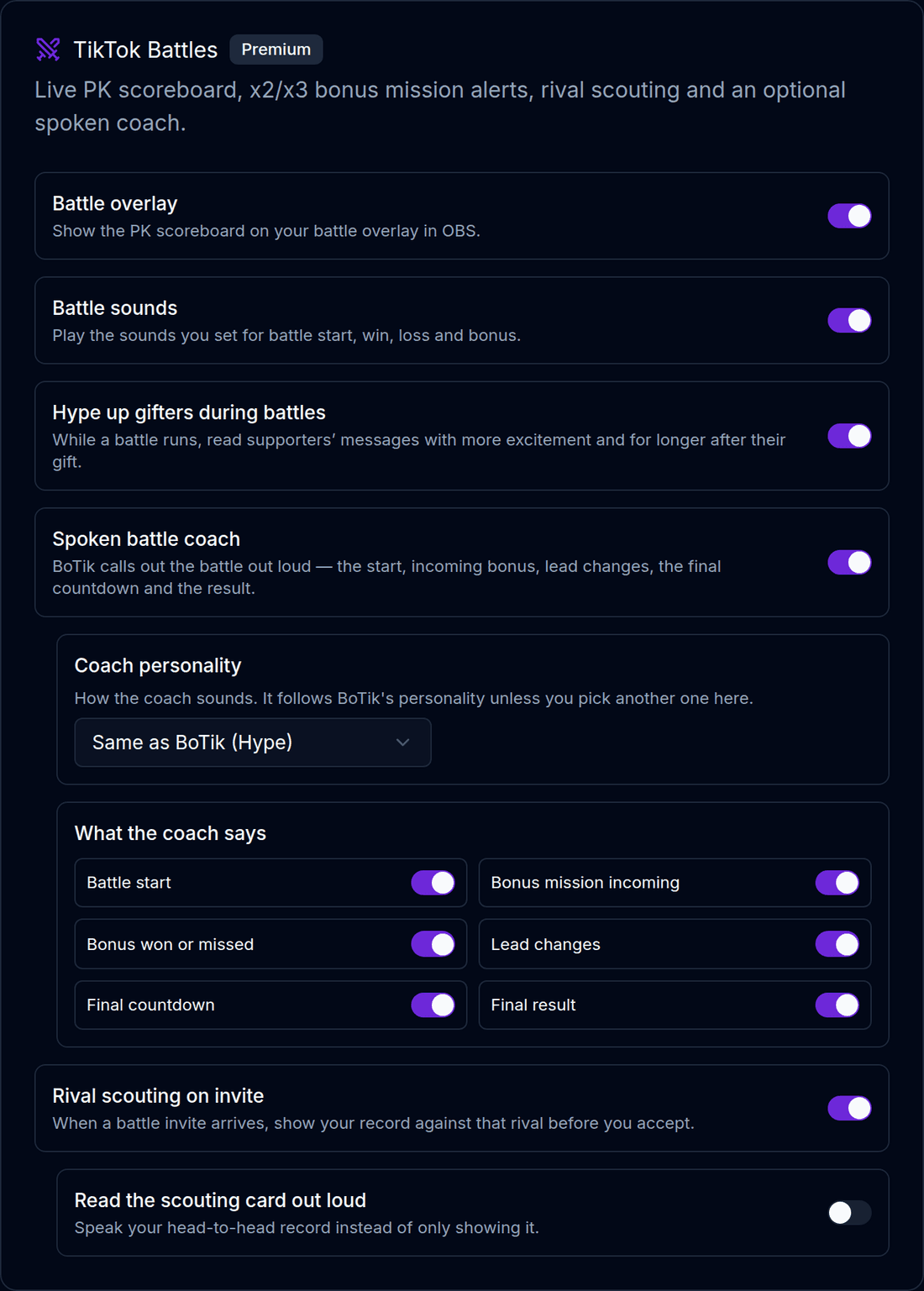
The coach follows BoTik’s personality — Classic, Hype, Funny, Chill or Dramatic — unless you give it one of its own. Its lines go ahead of waiting chat but never on top of a message being read, and a line that is no longer true by the time it would play is skipped.
It rallies, it never begs
Coach lines cheer your team on and thank them. They never ask anyone for gifts, coins or taps — that is not a setting, and it keeps you on the right side of TikTok’s rules.
- Hype up gifters during battles — while a battle runs, supporters’ messages are read with more excitement right after their gift. On by default.
- Battle sounds — play a sound when a battle starts, when you win or lose, and when a bonus mission appears. You choose them in Event Actions, next to your gift sounds.
Putting the scoreboard on stream
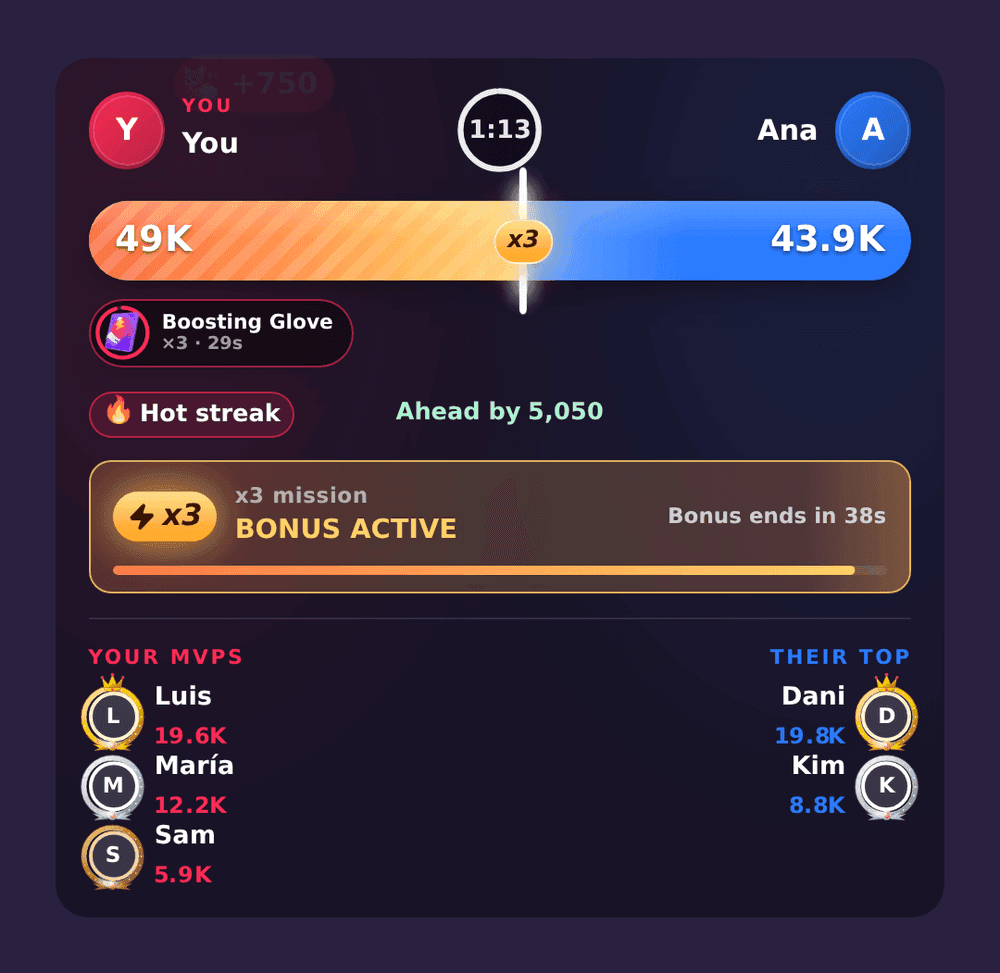
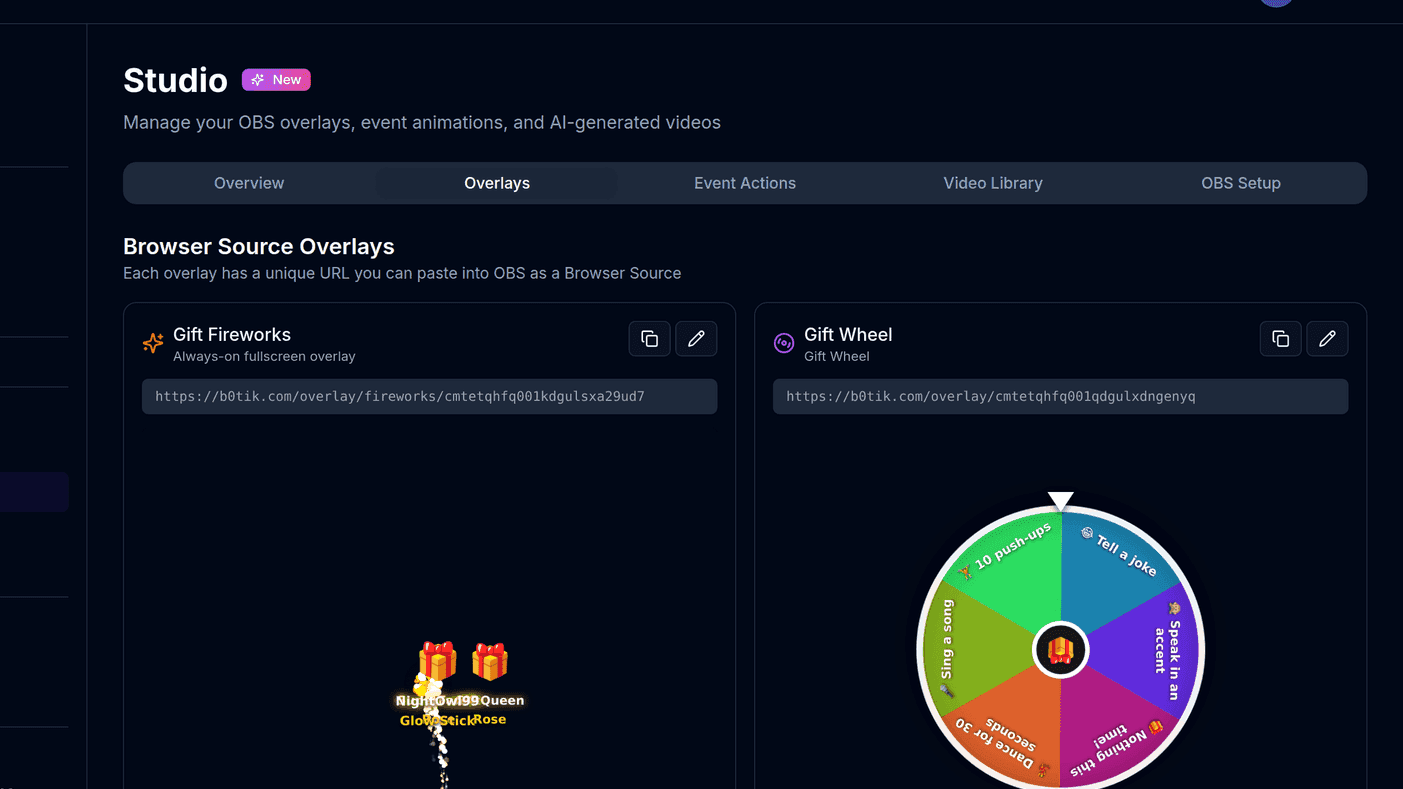
Your viewers see TikTok’s own battle bar, but not the bonus countdown, the boosters or who is carrying each side. The TikTok Battle overlay puts that on stream. Add it from Overlays as a browser source in OBS or TikTok LIVE Studio; it stays empty between battles and appears when one starts.
Choose each side’s colour and what it shows: the clock, the bonus, the supporters and how many of them, the boosters, avatar frames and effects. If you have not added a browser source before, the overlays guide walks through it.
Your battle history
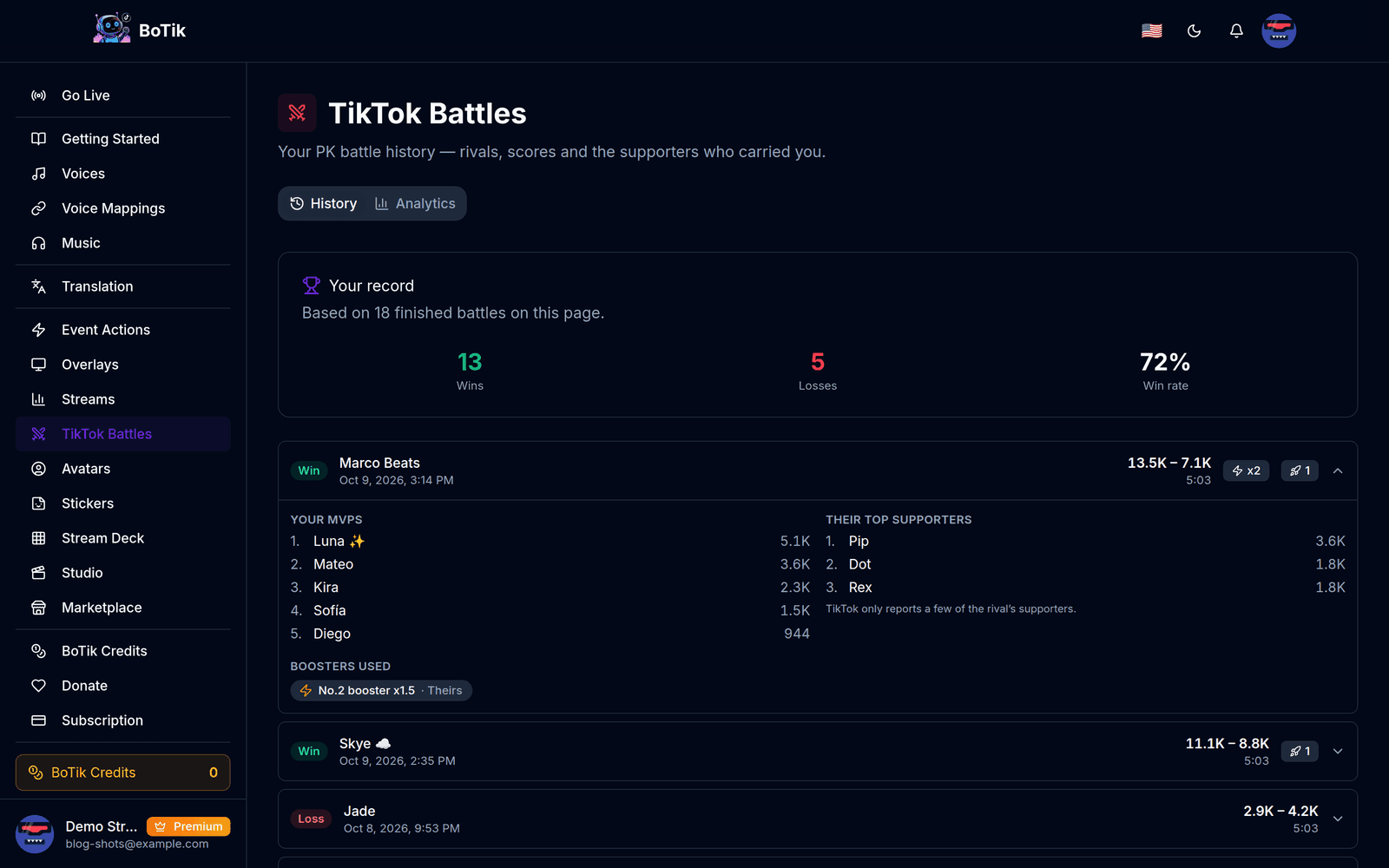
Every battle is saved under TikTok Battles in the sidebar: the rival, the score, how long it ran, whether there was a bonus and whether you completed it, and the boosters used. Open one to see your MVPs and the rival’s top supporters.
Battle analytics
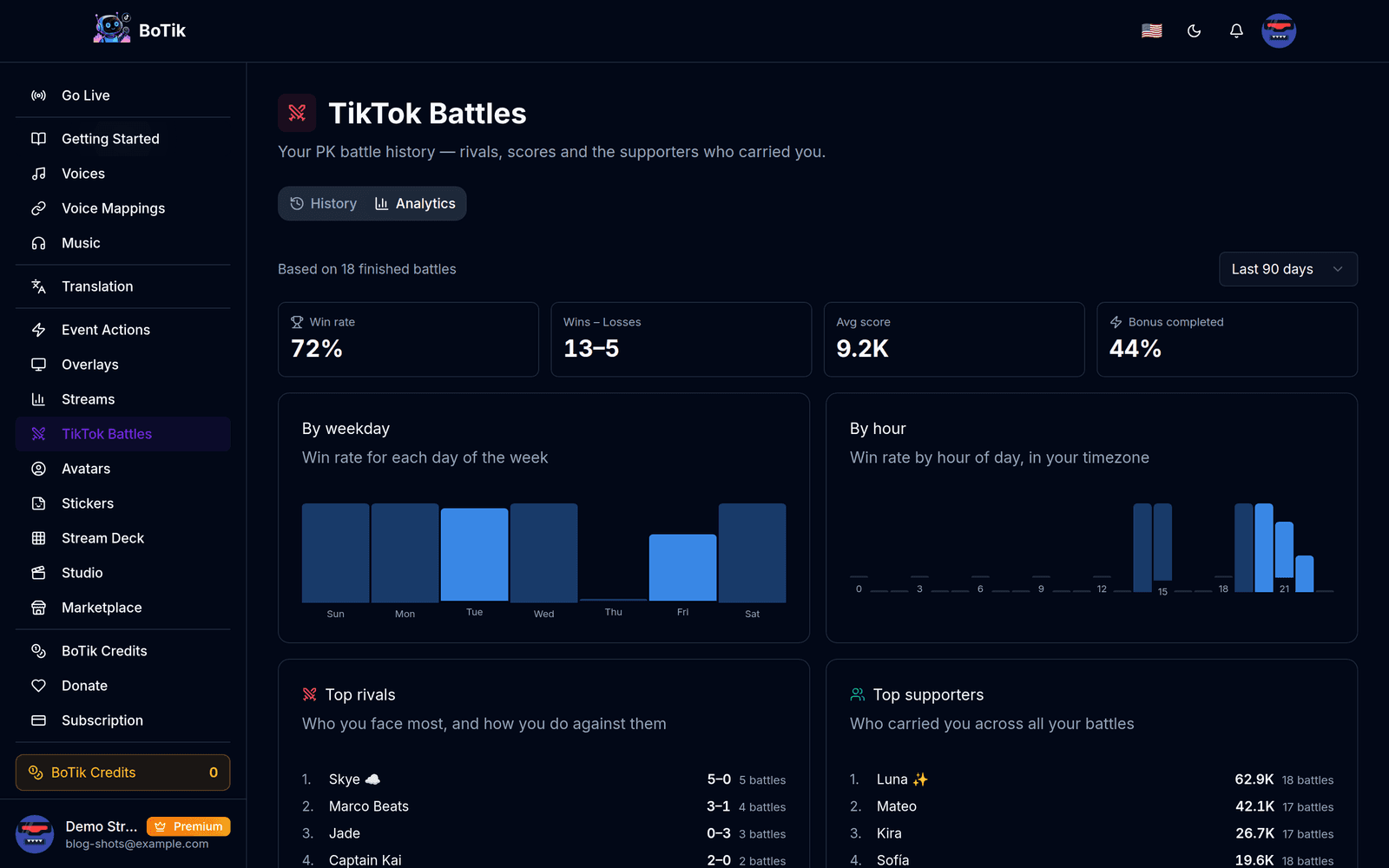
Analytics turns the history into patterns: your win rate, average score and how often you complete bonus missions; your win rate by day and by hour, in your timezone; the rivals you face most and your record against each; and the supporters who carried you across all your battles.
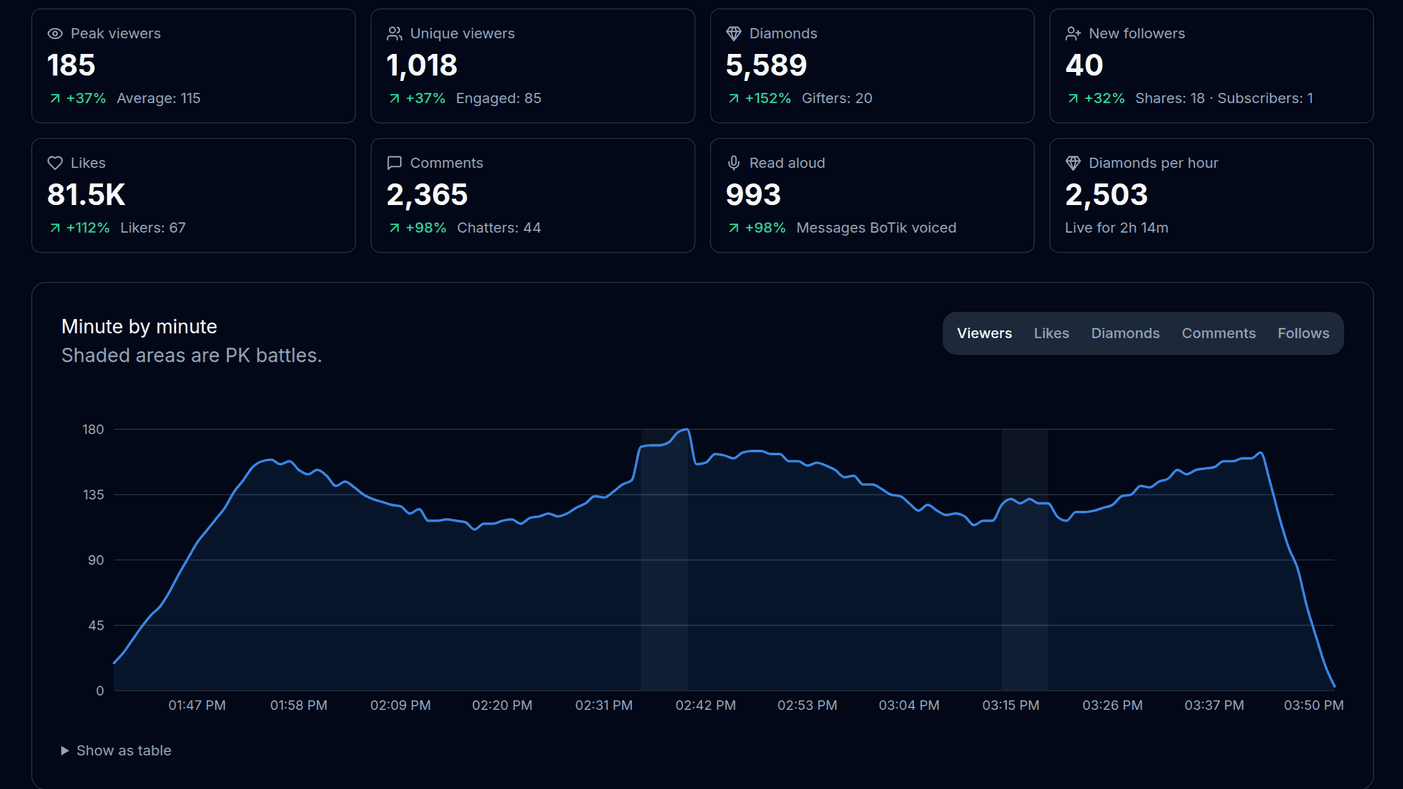
Battles also show up in your stream recap, shaded on the minute-by-minute chart, so you can see what a battle did to your viewers and your gifts.
Battle keys on your Stream Deck
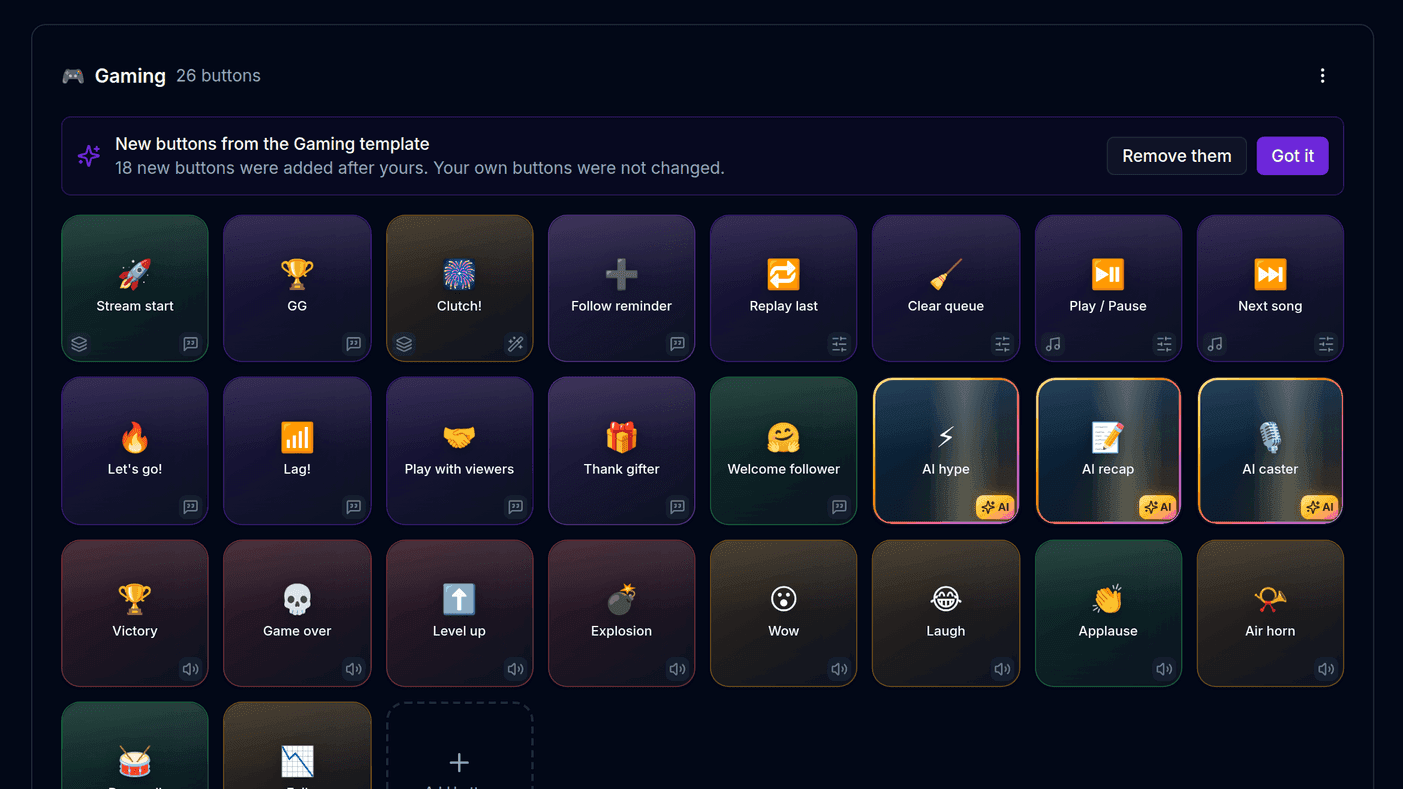
The Stream Deck has a Battles template: battle start, final seconds, win and loss lines, an MVP shout-out, an AI comeback speech and arena sounds. Any key can also be set to appear only after a battle starts, when a bonus mission appears or after a battle ends, so the right keys are in front of you at the right moment.
If something looks wrong
- No arena appears. BoTik has to be connected to your LIVE while the battle runs. A battle that started before you connected is picked up from its next score update.
- The rival has no name. For a streamer you have never battled, TikTok sometimes sends the name only when the battle ends. Once you have faced them, BoTik remembers.
- The rival’s supporter list is short. TikTok only reports their top few.
- The coach is silent. Check that Spoken battle coach is on, that the moments you want are selected, and that the Go Live tab is open — the coach speaks through it, like chat.
Turn the coach on before your next battle, and look at your history after a week. The rivals you keep losing to, and the hours you keep winning in, are worth knowing.